 +86-13925515590
 kleinma@aliyun.com

How to Choose Cover Glass for HMI Displays

How to Choose Cover Glass for HMI Displays: A Practical Guide for OEMs
Choosing the right cover glass for an HMI display is not simply a matter of selecting a thicker or stronger glass. The cover glass affects touch sensitivity, impact resistance, optical clarity, surface durability, weight, and the overall reliability of the finished HMI.
For industrial equipment manufacturers, automation systems, control panels, medical devices, and other HMI applications, the right specification depends on the operating environment and the complete display structure.
This guide explains the key factors OEM engineers should consider when selecting HMI cover glass.
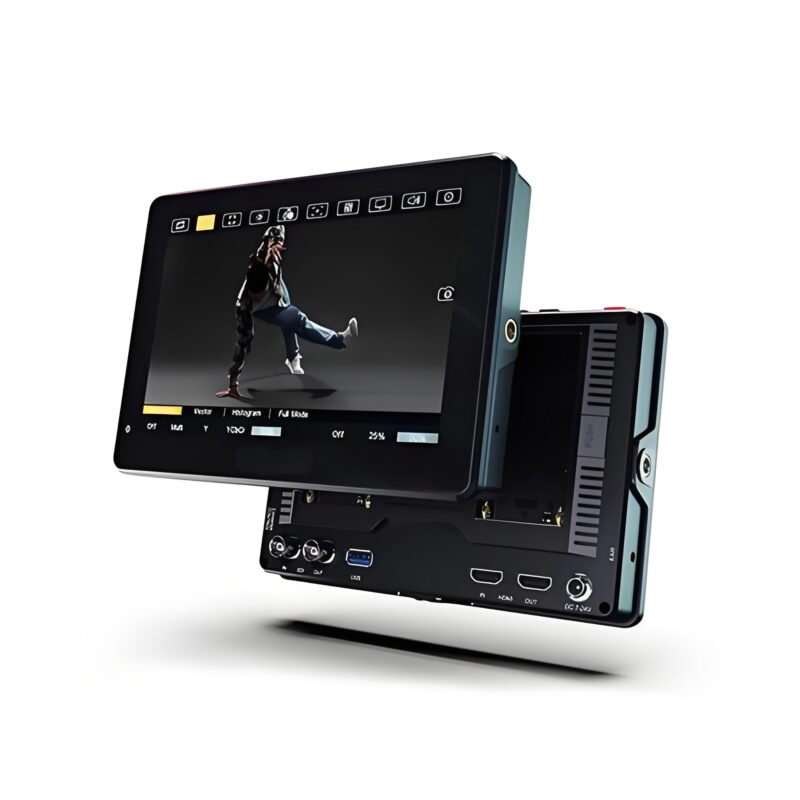
1. Start With the HMI Application
Before selecting the glass, define how the HMI will be used.
An indoor factory control panel has different requirements from an outdoor industrial controller or a public self-service terminal.
Consider:
- Indoor or outdoor installation
- Expected impact or mechanical stress
- Frequency of cleaning
- Exposure to water, oil, dust, or chemicals
- Glove operation
- Ambient lighting
- Display size
- Touch technology
- Required service life
- Weight and enclosure limitations
For example, an HMI used on factory machinery may require strong scratch and impact resistance, while an outdoor control panel may place greater emphasis on optical visibility and reflection control.
The glass should therefore be specified according to the actual operating environment rather than choosing a standard thickness without testing.
2. Select the Right Glass Material
Two common material options for HMI cover glass are soda-lime glass and aluminosilicate glass.
Soda-Lime Glass
Soda-lime glass is widely available and can be a cost-effective option for applications where thickness, cost, and general mechanical protection are more important than ultra-thin design.
It can be suitable for:
- General industrial control panels
- Equipment displays
- Indoor HMI systems
- Larger display panels
- Cost-sensitive projects
Aluminosilicate Glass
Aluminosilicate glass is often selected when an HMI requires higher strength in a relatively thin profile.
It is commonly considered for:
- Industrial touch displays
- Portable control devices
- Medical equipment
- High-use touch panels
- Thin and lightweight HMI designs
Material selection should not be based on the glass name alone. Thickness, strengthening process, edge condition, openings, and final component design all influence the actual performance of the finished cover glass.
3. Choose the Correct Glass Thickness
Thickness is one of the most important decisions when designing an HMI cover glass.
A thicker glass can provide greater mechanical protection, but it also increases weight and may reduce the available touch-sensing margin in a projected-capacitive touchscreen.
Common engineering starting points may include:
| Thickness | Typical consideration |
|---|---|
| 0.7–1.0 mm | Thin and lightweight touch interfaces |
| 1.1–1.5 mm | Compact industrial HMI applications |
| 1.5–2.0 mm | General industrial control panels |
| 2.0–3.0 mm | Rugged or larger HMI displays |
| 3.0 mm+ | Higher mechanical protection or large exposed panels |
These values should be treated as starting points rather than universal specifications. The correct thickness must be validated with the actual touch sensor, controller, enclosure, and mechanical structure.
For PCAP touchscreens, increasing the distance between the finger and the sensing electrodes can reduce the touch signal margin. This becomes especially important when the HMI must support gloves, water touch, or other demanding input conditions.
4. Chemically Strengthened or Thermally Tempered?
The strengthening method should be selected together with the glass material, thickness, geometry, and application requirements.
Chemically Strengthened Glass
Chemical strengthening uses ion exchange to create compressive stress near the glass surface.
It is particularly useful for thinner cover glass where high surface strength and dimensional precision are required.
Potential advantages include:
- Good surface damage resistance
- Suitable for relatively thin glass
- Good dimensional stability
- Suitable for complex cover-glass designs
- Useful for touchscreen applications
Thermally Tempered Glass
Thermal tempering uses controlled heating and rapid cooling to create compressive stress in the glass.
It can be appropriate for thicker or larger glass panels where impact resistance is a major consideration.
Potential applications include:
- Industrial equipment
- Large control panels
- Public terminals
- Rugged displays
- Applications requiring safety-glass characteristics
Neither method is automatically better. The correct choice depends on the required thickness, impact performance, geometry, safety requirements, and touch technology.
5. Consider Touch Sensitivity
For an HMI with a PCAP touchscreen, cover glass and touch performance must be designed together.
A thicker cover glass creates a greater dielectric distance between the user’s finger and the touch sensor. This can reduce touch signal strength and make controller tuning more difficult.
The problem can become more noticeable when the HMI also needs:
- Glove operation
- Wet-finger operation
- Thick protective layers
- Large active touch areas
- High touch accuracy
- Low activation force
Therefore, do not finalize the glass thickness before confirming the complete touch stack.
A practical approach is to test several engineering samples, such as 1.1 mm, 1.5 mm, and 2.0 mm, and evaluate touch performance using the final sensor and controller.
The best solution is usually the thinnest glass that meets the required mechanical and environmental performance rather than simply choosing the thickest available option.
6. Choose AG, AR, or AF Surface Treatment
Surface treatment should be selected according to the actual viewing and operating environment.
Anti-Glare (AG)
AG treatment reduces disturbing specular reflections by scattering reflected light.
It can be useful for:
- Factory floors
- Control rooms
- Kiosks
- Industrial machinery
- HMI displays under strong ambient lighting
However, excessive AG can increase haze and reduce image sharpness. Therefore, AG should be evaluated on the actual display rather than selected only by name.
Anti-Reflective (AR)
AR coating reduces surface reflection and can improve display visibility.
It is particularly useful for:
- Outdoor HMI displays
- High-ambient-light environments
- Medical displays
- Instrumentation
- Applications requiring high optical clarity
AR and AG solve different optical problems. AR reduces reflection, while AG diffuses reflected light.
Anti-Fingerprint (AF)
AF coating helps reduce fingerprints, oil marks, and smudges on frequently touched surfaces.
It can be useful for:
- Touchscreen HMIs
- Public terminals
- Medical interfaces
- Frequently operated industrial equipment
For demanding applications, combinations such as AG + AF or AR + AF may be considered.
The treatment should be evaluated for optical performance, touch feel, cleaning resistance, and durability.
7. Do Not Ignore Glass Edge Processing
The glass edge is an important part of the mechanical design.
Possible edge treatments include:
- Flat polished edges
- Chamfered edges
- Rounded edges
- CNC edge processing
- Special corner profiles
Poorly processed edges or sharp internal corners can create stress concentration and increase the risk of damage.
For custom HMI cover glass, the engineering drawing should clearly define:
- Overall dimensions
- Thickness
- Tolerance
- Corner radius
- Holes and cut-outs
- Edge treatment
- Surface treatment
- Printing requirements
These specifications should be confirmed before mass production.
8. Consider Black Printing and Functional Graphics
Many HMI cover glasses include a black printed border to hide:
- Display edges
- Touch sensor traces
- Adhesive areas
- Internal components
- Mechanical structures
Screen printing can also be used for:
- Logos
- Symbols
- Buttons
- Scale markings
- Product identification
- Functional graphics
The printing design should be considered together with the active display area and bonding structure.
For OEM projects, the supplier should review the artwork, print dimensions, ink specifications, and inspection requirements before production.
9. Air Gap or Optical Bonding?
The cover glass does not work independently from the display module.
The complete stack may include:
Cover Glass → Touch Sensor → Adhesive → LCD/TFT Display
An air gap can simplify certain designs, while optical bonding can reduce internal reflections and parallax and improve outdoor readability.
Optical bonding can also introduce additional requirements for:
- Adhesive selection
- Bond-line thickness
- Cleanliness
- Curing
- Flatness
- Inspection
- Thermal expansion
Therefore, cover glass thickness should be evaluated together with the complete display stack.
10. Build the Cover Glass Specification Around the Final Application
Before requesting an OEM quotation, prepare a complete specification instead of asking only for a glass price.
A typical HMI cover glass RFQ should include:
| Specification | Example |
|---|---|
| Glass material | Soda-lime / Aluminosilicate |
| Thickness | 1.1 / 1.5 / 2.0 mm |
| Strengthening | Chemical / Thermal |
| Size | Custom |
| Shape | Custom |
| Edge | Polished / Chamfered |
| Holes | Custom |
| Surface | AG / AR / AF |
| Printing | Black border / Logo |
| Touch | PCAP / Resistive |
| Bonding | OCA / Optical bonding |
| Application | Industrial HMI |
| Quantity | Prototype / Mass production |
This gives the glass manufacturer enough information to recommend a suitable construction rather than simply quoting a standard glass sheet.
HMI Cover Glass Selection Checklist
Before approving the final cover glass, confirm:
- Glass material
- Glass thickness
- Strengthening method
- Impact requirements
- Touch technology
- Glove/wet-touch requirements
- AG / AR / AF treatment
- Optical requirements
- Edge processing
- Holes and cut-outs
- Black printing
- Bonding method
- Cleaning and chemical resistance
- Inspection requirements
- Prototype validation
Conclusion
Choosing cover glass for an HMI display requires more than selecting a glass thickness.
The final specification should balance mechanical protection, touch sensitivity, optical performance, surface durability, manufacturing requirements, and total system design.
For most OEM projects, the best approach is to define the application first, select the glass material and strengthening method, evaluate several thickness options, then validate the complete touch-display assembly.
A qualified cover glass manufacturer can also help optimize the combination of material, thickness, strengthening, surface treatment, printing, CNC processing, and bonding according to the final HMI requirements.
Need Custom HMI Cover Glass?
WM Cover Glass provides custom HMI and industrial display cover glass with options for custom thickness, shape, CNC machining, chemical strengthening, thermal tempering, AG/AR/AF coatings, silk-screen printing, and optical bonding.
Send us your drawing or HMI specifications to discuss the right cover glass solution for your project.