 +86-13925515590
 kleinma@aliyun.com

Blog
Touchscreen Cover Glass: The No.1 Important Role

Knowledge of Touchscreen Cover Glass
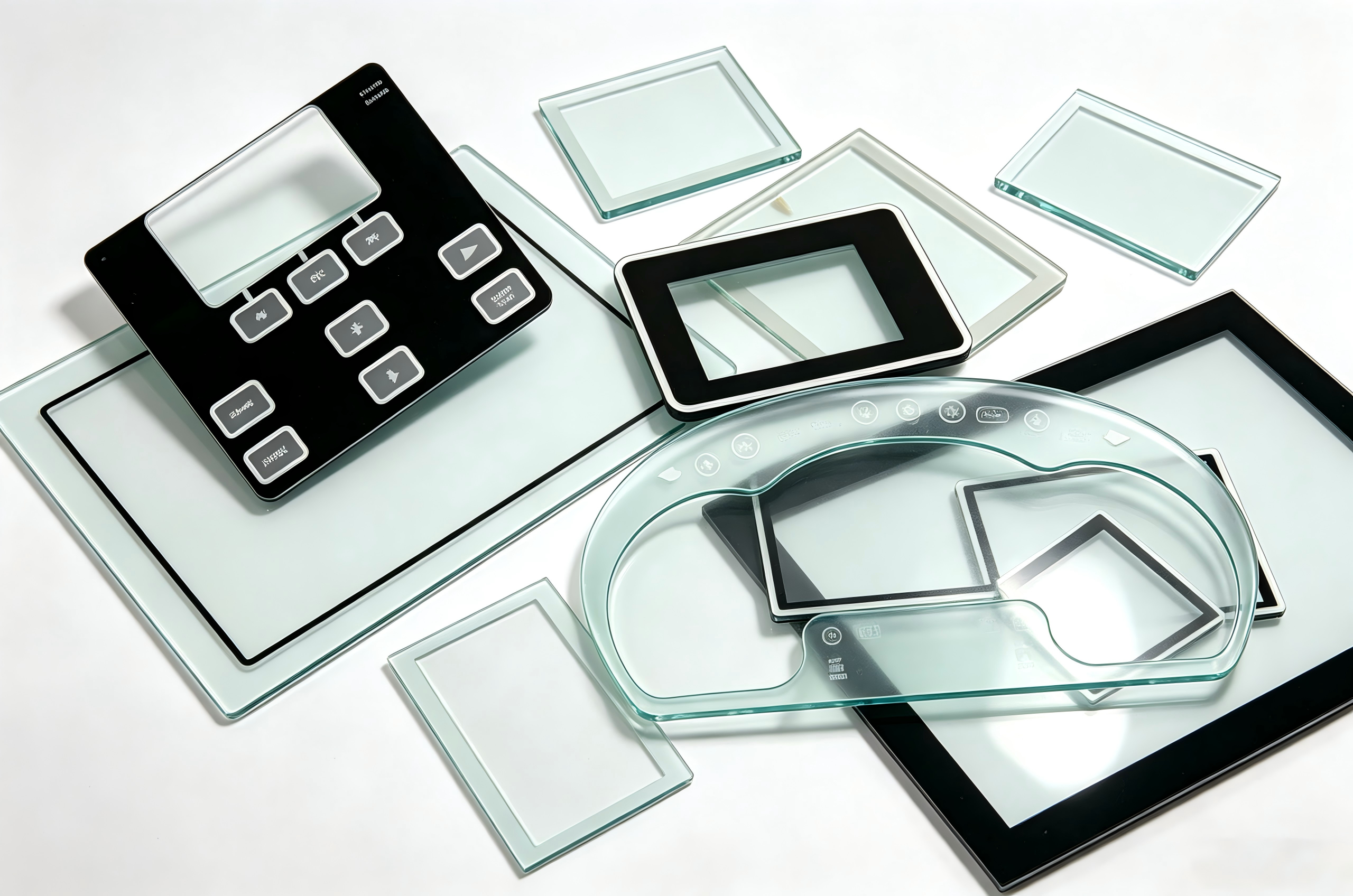
The touchscreen isn’t just offer a responsive surface. The overall appearance, form factor, color scheme, impact resistance, optical clarity and nearly all electronic attribute are dictated by an individual component: The outermost glass layer. It often referred to the cover lens, which not participate in signal detection. It defines the visual and structural identity of the entire module.
First. What’s the Touchscreen Cover Glass?
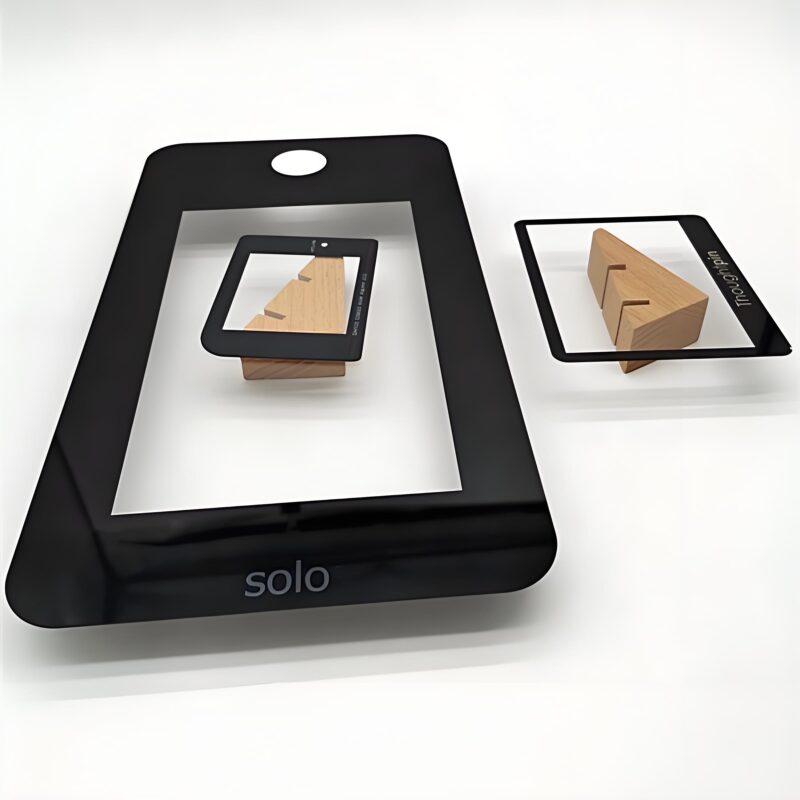
In a standard capacitive touchscreen assembly, there are 2 primary glass elements. The lower one is the sensor glass to detects and relays touch inputs to the device’s processor. It sits directly above it is a toughened protective sheet: It’s the cover glass. From any cross sectional illustration of a touch module, the cover glass locates the very top position, serves as the first line of defense and the first point of visual contact.
Second. Touchscreen Cover Glass Shaping the Visual Personality.
It’s interest that cover glass itself has no inherent touch sensing capability: It simply a transparent barrier. Nevertheless, it dictates the screen’s physical dimensions, contour and aesthetic tone. Imagine it as “outer garment” of the touchscreen. It can be customized with cutouts, pinhole cameras, colored borders in any shape of the rainbow or even gradient finishes: All subject to the designer’s blueprint. In conclusion, the cover glass is the reason touchscreens can be as flamboyant or understated as the product team envisions.
Third. Touchscreen Cover Glass Safeguard the display & sensor layers
In structure, the cover glass located above both the LCD panel and the underlying functional sensor layer. So it acts as a robust shield for the entire display and touch assembly. Its protective capability-particularly resistance to shocks and fractures is largely governed by its thickness. Under specialized environments like correctional facibilities or industrial settings, the screens face heightened risk of impact, thicker cover glass becomes important.
Since the cover glass uses chemical or thermal tempering, it can enhanced hardness and scratch resistance. Normally, increased thickness converts to greater rigidity and improved shatterproof performance, which depends on the application. The cover glass thickness usually from 0.2mm to 10mm, the selection depends on the expected use case. But as thickness increases, engineers must recalibrate the touch controller’s firmware to keep suitable sensitivity. For example, some suppliers introduced touchscreens with 10mm thick cover glass which can withstand punches without crack: A testament to modern material engineering.
Forth. Touchscreen Cover Glass Optical Clarity and Its Effect on Display Quality
With the rapid evolution of display technologies, modern screens deliver increasingly vivid and lifelike imagery. To fully realize this potential, the cover glass must perform excellent optical transparency, and the key metric here is transmittance: The percentage of light that passes through.
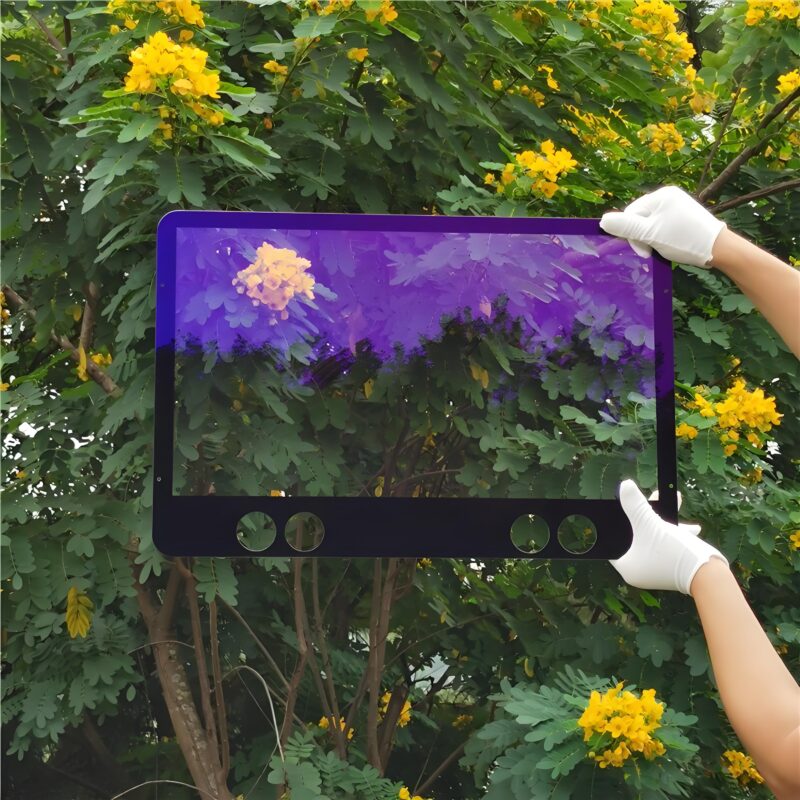
Transmittance is primarily influenced by the glass composition. Standard optical glass contains trace amounts of iron, which imparts a slight greenish tint and typically limits transmittance to around 85%. In contrast, ultra-clear (low-iron) glass achieves transmittance levels of 91.5% or even higher, resulting in brighter and more accurate color reproduction. Moreover, for applications that rely on infrared (IR) light(such as facial recognition systems), the cover glass can be coated with an IR-transmissive film to enhance penetration of IR wavelengths.
Fifth. Touchscreen Cover Glass Surface Treatments for Enhanced Performance and Aesthetics
Beyond material selection, surface engineering offers additional avenues to optimize the cover glass. One common technique is anti-reflection (AR) coating, which reduces reflective loss and boosts light transmittance. High-quality AR coatings can push transmittance over 99%, delivering near-perfect optical clarity.
Other widely adopted surface treatments include:
Anti-fingerprint (AF) coating: A nanometer-scale hydrophobic layer that repels oils, sweat and smudges, making the screen easier to clean and maintain.
Anti-glare (AG) treatment: Achieved through chemical etching or spray coating, this process creates a microscopically textured surface that diffuses reflected light. The result is improved viewing angles and reduced glare under bright ambient lighting, enhancing outdoor readability.
Conclusion
In essence, while the cover glass does not contribute to touch detection, it governs virtually every other perceivable aspect of the touchscreen: From mechanical durability and optical clarity to aesthetic identity. Consequently, when two display modules share the same active-area dimensions, their sensor layers may be interchangeable, but the cover glass nearly always demands custom design tailored to each product’s unique requirements. This makes it one of the most distinctive and brand-defining elements of any touch-enabled device.
FAQ
Q1:Can I replace just the cracked cover glass without changing the whole touchscreen assembly?
A1:Technically yes, but often not recommended. In mass production, the cover glass is bonded to the sensor layer using optically clear adhesive (OCA) under strict vacuum and temperature control. In after-market repair shops, separating them manually risks damaging the fragile sensor layer, introducing air bubbles, or reducing touch sensitivity. Moreover, replacement glass from non-original suppliers may have inferior strength, wrong transmittance, or mismatched surface treatments, compromising both durability and display quality. For high-end consumer devices, a full assembly replacement is usually safer, though more expensive. For industrial or commercial screens where original parts are scarce, professional refurbishment with proper equipment can be a viable alternative: Just verify the glass specifications carefully.
Q2:How exactly does thicker cover glass affect touch sensitivity, and what can be done to compensate for it?
A2:Thicker glass increases the distance between the user’s finger and the underlying sensor electrodes. Since capacitive touch detection relies on measuring minute changes in the electric field, this greater distance weakens the signal strength (lower signal-to-noise ratio). To compensate, engineers typically adjust the touch controller’s firmware in three ways:
(1) increasing the drive voltage to generate a stronger electric field.
(2) raising the receiver gain to amplify weak signals.
(3) fine-tuning the threshold algorithms to distinguish genuine touches from noise more intelligently.
However, these adjustments have limits: Beyond a certain thickness (typically >6mm), even the best tuning may not fully restore the “glassy” smooth feel, and some devices may require a switch to active-pen or surface-acoustic-wave technologies for reliable input.
Q1:Can AF, AG and AR treatments be applied together on the same cover glass? If so, what’s the correct order?
A1:Yes, they can be combined, but not all combinations are practical and the application order matters critically. The standard sequence is:
AG first (if needed), because it physically etches or roughens the glass surface.
Next comes AR coating, which is an optical thin-film deposition process that requires a smooth base: Applying it after AG is acceptable, but the roughness may slightly reduce AR efficiency.
AF comes last, as it’s a topmost nano-layer that would be damaged or covered by subsequent high-temperature or vacuum processes.
The most common practical combination is AR + AF (anti-reflection with anti-fingerprint), widely used in high-end displays. AG + AF is also seen in outdoor or automotive applications. AG + AR + AF is rare and expensive because the AG surface scatters light and compromises AR’s precision, making the cost-benefit ratio questionable for most products.